
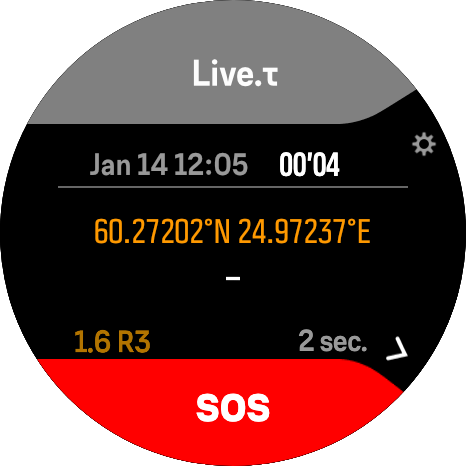
Live.τ
Live.τ
(LiveTracking)
Track and share your real-time location during workouts with your Suunto™ watch.
LiveTracking makes your movement visible instantly - perfect for athletes, coaches, friends and family who follow your training.
How to use
- Sync the LiveTracking SuuntoPlus™ app to your watch.
- Install the Live.τ mobile app: https://athletica.one/live-tracking
- Open Live.τ on your phone.
- Enable the Service toggle.
- On your watch, start a workout.
- Go to the SuuntoPlus™ section.
- Choose LiveTracking and enable it.
- Wait a few seconds for the watch to connect to the mobile app.
- Start your workout and enjoy live tracking.
More information
Public documentation: plus.athletica.one/live
Product page: athletica.one/live-tracking
Requirements & Notes
- Requires a connection with the Live.τ mobile app (iOS / Android).
- In some cases you may need to fully close the Suunto App for the best LiveTracking experience.
Important Information
While LiveTracking is running, the Live.τ mobile app temporarily uses the connection to your watch.
Because of this, Suunto App will not sync with your watch in the background, so some Suunto App notifications (for example, notifications from mobile) may not appear until LiveTracking is stopped.
This content is available in the Suunto App
Download the app on your phone, then open this link on mobile to sync automatically


Don't have the Suunto App? Download for iOS or Android
This service is not affiliated with, endorsed by, or connected to Suunto Oy.